Translate
Francais Español Deutsch


Developers Product Chooser PDF Choosing Wizard Feature Comparison Chart Image Product Chooser Image Comparison Chart

Do it all with PDF-XChange PRO

A product suite that includes all of the above PDF products and allows you to do pretty much whatever you want with PDFs

PRO PDF

PDF-XChange Viewer

PDF-XChange Lite

PDF-XChange Standard

PDF-Tools

Imaging Products


Raster-XChange


Tiff-XChange

SDKs for PDFs: SDKs for Imaging: Clarion® SDKs:

PDF Related

Imaging Products

Clarion® Developers now have the choice of using our generic SDKs, or downloading our Clarion® specific SDKs which include extra Clarion® classes, templates and examples for fast and easy integration into their Clarion® based applications.
Knowledgebase

Knowledgebase

How do I create an invisible digital certificate?

Knowledge Base Article: KB290 - Created On: Aug 11, 2010 01:31 PM - Last Modified: Aug 24, 2010 11:18 AM

Symptoms

 How do I apply an invisible signature to a document?


Cause

 By default PDF-XChange Viewer adds text from the certificate into the appearance of the digital certificate and applies it to the document.


Resolution

The appearance of digital certificate is customizable.  

To customize the appearance of a digital certificate:

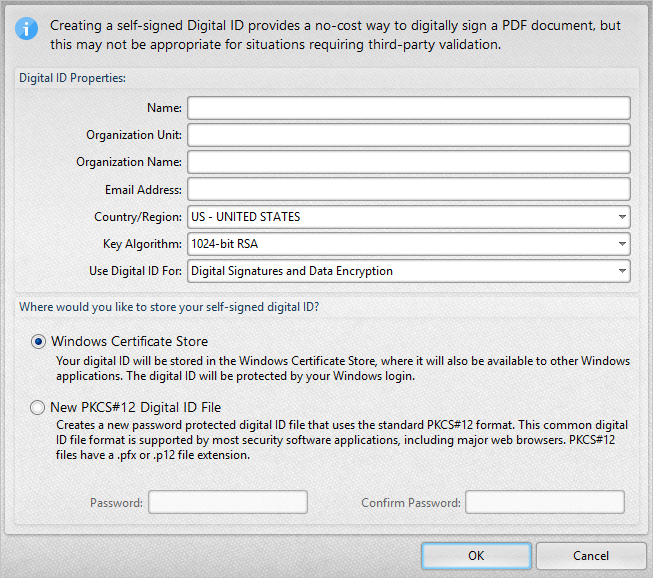
  1. Import an existing Digital Certificate or create a new one using PDF-XChange Viewer.
  2. Customize the appearance of the Certificate.
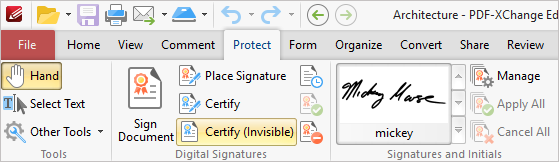
    1. Select Document --> Signing --> Sign Document

      Sign Document
       
    2. Place the signature on the document where you want it.  The blue bounding box will show where it is to be placed.

      place signature
       
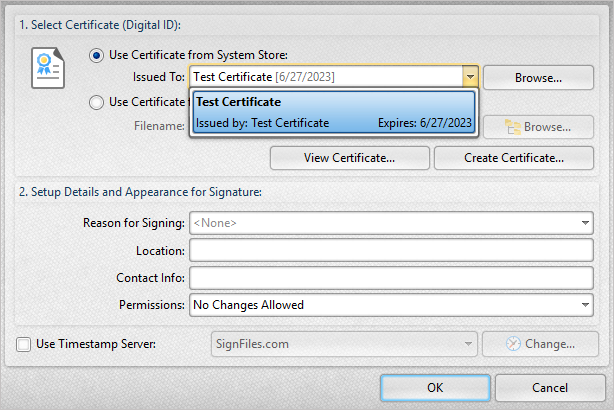
    3. In the "Sign Document" window select the signature you wish to use.  Note that it can be either a certificate from a file, a certificate from the Windows System Store or a new certificate that you create using the Viewer.  Select "Manage"

      sign document
       
    4. The "Digital Sign Appearance Templates" window opens.  Here you can manage the appearance of your certificates.  You can use a single digital certificate with multiple appearance templates.   This can be used to assign an image to your signature or set it to have no visible attributes.

      Digital Sign Appearance Templates

       
    5. Select the signature you wish to change the appearance of and click "clone".

      select template
       
    6. Select the new template from the list and click Edit.  To have the certificate show nothing on your document uncheck all the options in the "Edit Template of Digital Sign" window, give it a name and click OK.

      Edit template
       
    7. I called this template "Invisible". 


    8. Click " Close" to close the window and exit the Digital Signatures Templates.
       
  3. Your new template "Invisible" is now available for use in future by selecting it from the list of templates in the "Sign Document" window when signing documents.

    select template
     
  4. Because you can assign an image to the template you can also use a Transparent Signature image of your own hand written signature to be presented in place of the digital one.  Choose "Custom Icon" in the "Edit Template of Digital Sign" step above and browse to your signature image as described in this article on how to create a transparent signature stamp. This results in a digital signature that looks like your signature. 

 Please note!  The laws around using an image as your signature on a document like this vary from place to place.  It may be that in your area to be legally binding a signature it must be hand written in ink.  


Vote

Was this article helpful?

More Like This

   KB#240: How do I remove a digital certificate that I've created using PDF-XChange Viewer from the "Windows System Store"?

   KB#46: How do I post a support request to the forum

   KB#172: I cannot open the Customize dialogue on the menu bar.

   KB#195: What is the difference between "Place Signature" and "Sign Document" when working with PDF-XChange Viewer?

   KB#206: I have a problem with opening a document, I get an error message: Error [PDF Structure 40]: Unknown/unsupported security handler.