Error has occurred!
- KB148
- Dec 19, 2019 12:25 PM
Is it possible to copy and paste text boxes, sticky notes and other created content?
Question:
Is it possible to copy and paste text boxes, sticky notes and other created content within a PDF document?
Answer:
Copying annotations such as text boxes, sticky notes etc. is supported by the PDF-XChange Editor. First, select the comment(s) you wish to copy, then paste them into the location desired. This can be accomplished with the Hand tool, or Select Comments tool active.
Selecting Comments with the Hand tool:
The hand tool is the default tool within PDF-XChange Editor. To select an individual comment simply click on it once. Hold the Ctrl key to select multiple annotations.
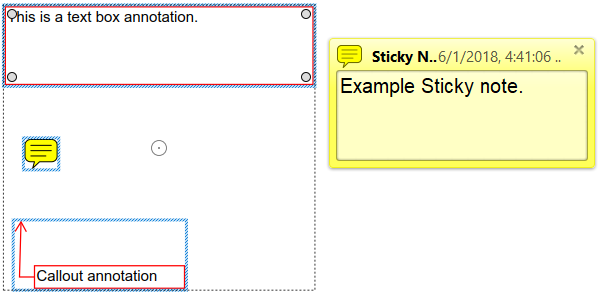
Selecting Multiple Comments:
Using the Select Comments tool located in the Comment tab, you can easily marquee select multiple annotations at once:
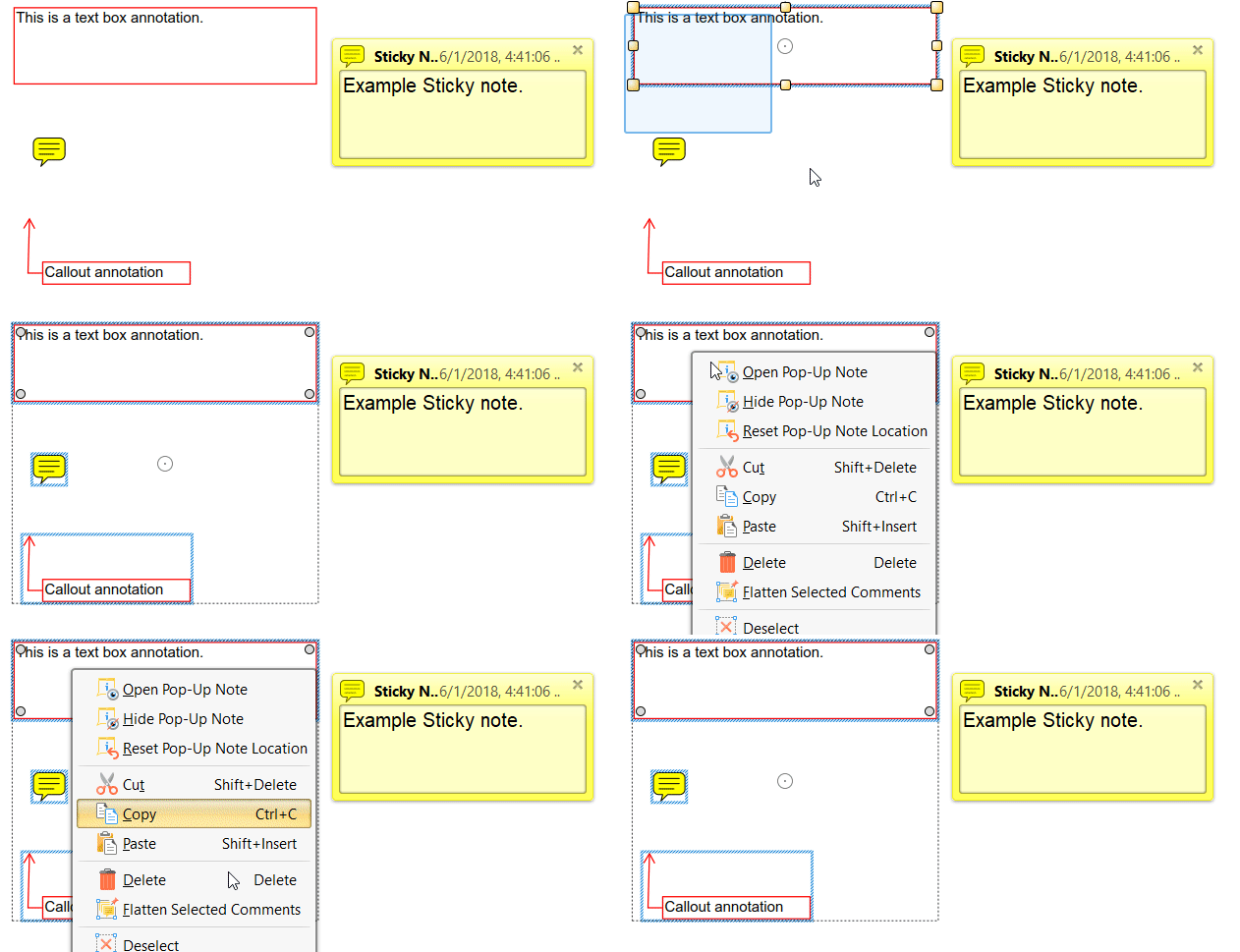
Once annotations are selected, use the right click context menu, or keyboard shortcuts to cut, copy, and paste objects. In some cases where the paste action may not appear to be functioning, the annotation is likely being placed directly over top of the original. To rectify this go to File> Preferences> Commenting and ensure that "Paste comments into mouse position" is activated.
Additionally, comments can be duplicated in a more automated way as detailed here.
More Like This
- KB#456: How Do I Customize toolbars in PDF-XChange Editor?
- KB#282: Why won't the "Send by E-mail" feature work in conjunction with Microsoft Outlook?
- KB#338: What are the MSI installation switch options for the PDF-XChange family of products?
- KB#447: How do I determine what version I should install/how can I retrieve my serial key?
- KB#554: How do I Manage my License keys in V9?